
Token approvals / Oath for iPhone
Check and revoke token approvals.
See which discovered permissions can still use your assets. Review the wallet, network and approved address, then remove supported access from Oath.
Explore supported scope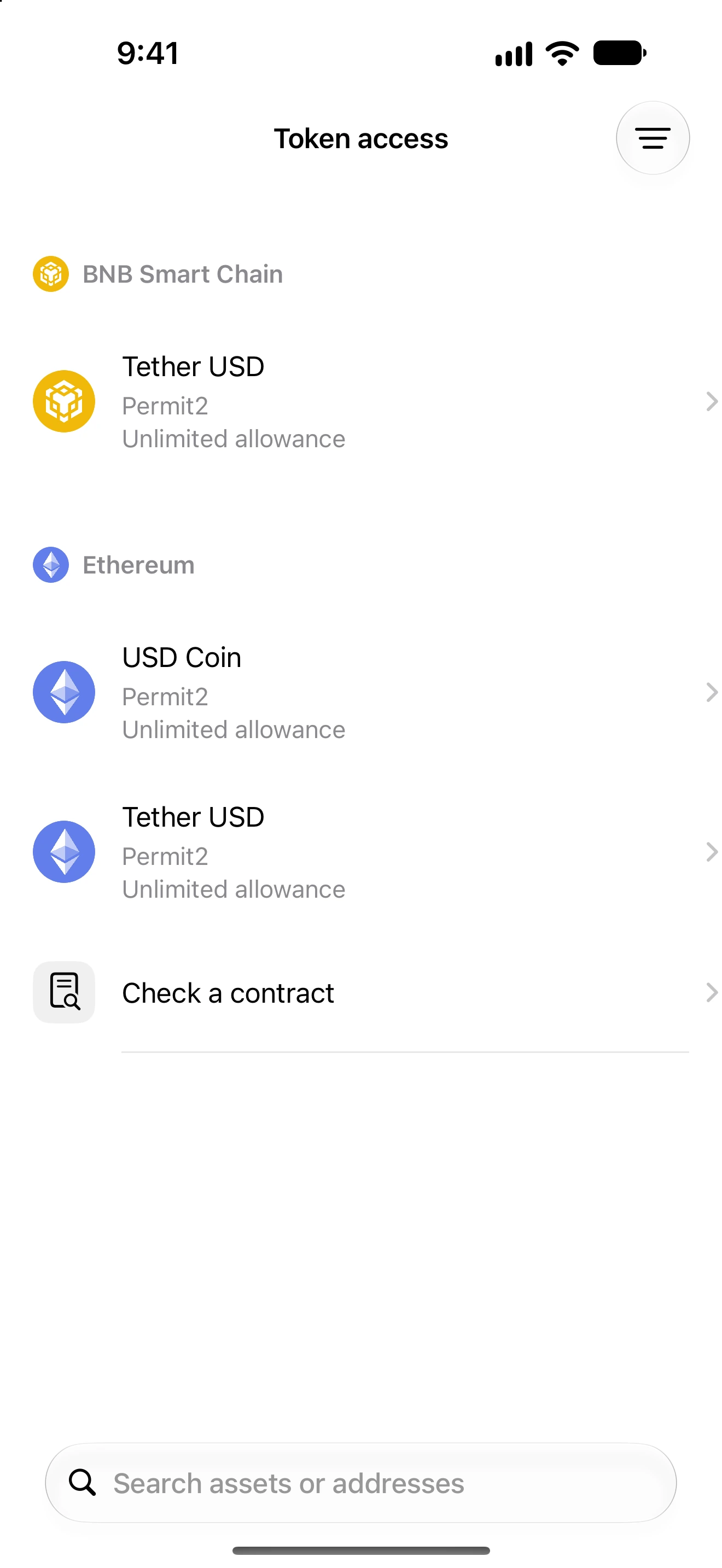
See the scope
Identify the asset, network and spender or delegate before changing a permission.
Review the fee
A supported revocation is an on-chain transaction. Oath presents its network fee before confirmation.
Check the result
Follow Recent changes and refresh the scan. A transaction hash alone does not prove access was removed.
Supported scope
Different permissions. Different limits.
The released app can discover and prepare supported removals on these network families. Coverage depends on providers, the account and the permission type.
EVM networks
Supported token allowances, NFT approvals and Permit2 operations. Review the exact permission and network; not every contract or account-control entry can be removed.
TRON
Supported token and collectible permissions use the TRON removal flow. Account-control keys have a different scope and are not ordinary token allowances.
Solana
Supported token-account delegate revocations. Permanent delegates and other token restrictions are not interchangeable with removable account delegates.
Choose your wallet
Open Settings → Permissions → Token access. Wait for the scan and read its coverage status.
Inspect the permission
Match the network, asset and approved address. Open a removable entry and review what the removal will change.
Confirm, then verify
Check the fee, confirm in Oath and follow Recent changes. Refresh the scan after confirmation before treating access as removed.
The next step
Several permissions, one review flow.
Select supported entries to prepare a batch. Each network can require a separate transaction and fee. Results can be mixed, so check confirmed, pending and failed items individually.
Read the batch revocation guide →A few useful answers
Before you begin.
Does disconnecting a dApp revoke its token approvals?
No. A WalletConnect session and an on-chain allowance are different permissions. Disconnect the session when needed, and review token access separately.
Does an empty scan mean my wallet has no approvals?
No. Read whether coverage is checked, partial, unavailable or unsupported. An unavailable provider or incomplete discovery must not be treated as proof that no permissions exist.
Can revoking an approval recover stolen funds?
No. Revocation can remove supported future access after it is confirmed; it does not reverse completed transfers or cancel every possible off-chain signature.
Do I need a network fee balance?
Yes, supported revocations require the relevant network fee asset. Review the actual estimate in Oath before confirming.